
WSPS Inventory
A web and mobile system for a Las Vegas slot machine parts business: every part barcoded and tracked from arrival through testing, repair, order and shipment.
The problem
WSPS buys, tests, repairs and resells slot machine parts. A single bill validator can arrive used, fail its test, go to the bench, come back repaired and leave in a customer order, and four different people touch it on the way: warehouse, repair technician, sales and admin.
Every one of those hand-offs is a place where stock goes missing on paper. The business needed one record of where every part is and what state it is in, which every role reads from and writes to as the work happens.
The constraints
Condition is the inventory. A part is not simply in or out of stock. New, Used and Repaired stock sell at different prices, and parts For Testing, For Repair or reserved for an order cannot be sold at all. Every count had to be split by status.
Five roles, one system. Admin, Warehouse, Repair, Sales and a read-only Administrative role each see their own tools and nothing more. Accounts are issued by an admin, with no public sign-up.
Warehouse floor, not desk. Receiving, picking and packing happen with a part in hand. The same accounts had to work in a browser and in a phone app with a camera barcode scanner.
No lost orders. An order for a part that is out of stock still had to be taken, held, and filled the moment stock arrives, without anyone tracking it by hand.
Books stay in QuickBooks. Purchase orders and invoices already lived in QuickBooks, so the system had to integrate with it rather than replace it.
What was built
WSPS Inventory covers the whole part lifecycle in one system: a Next.js web app, a Flutter app for iOS and Android, and a Node.js and PostgreSQL backend shared by both.
- Part lifecycle
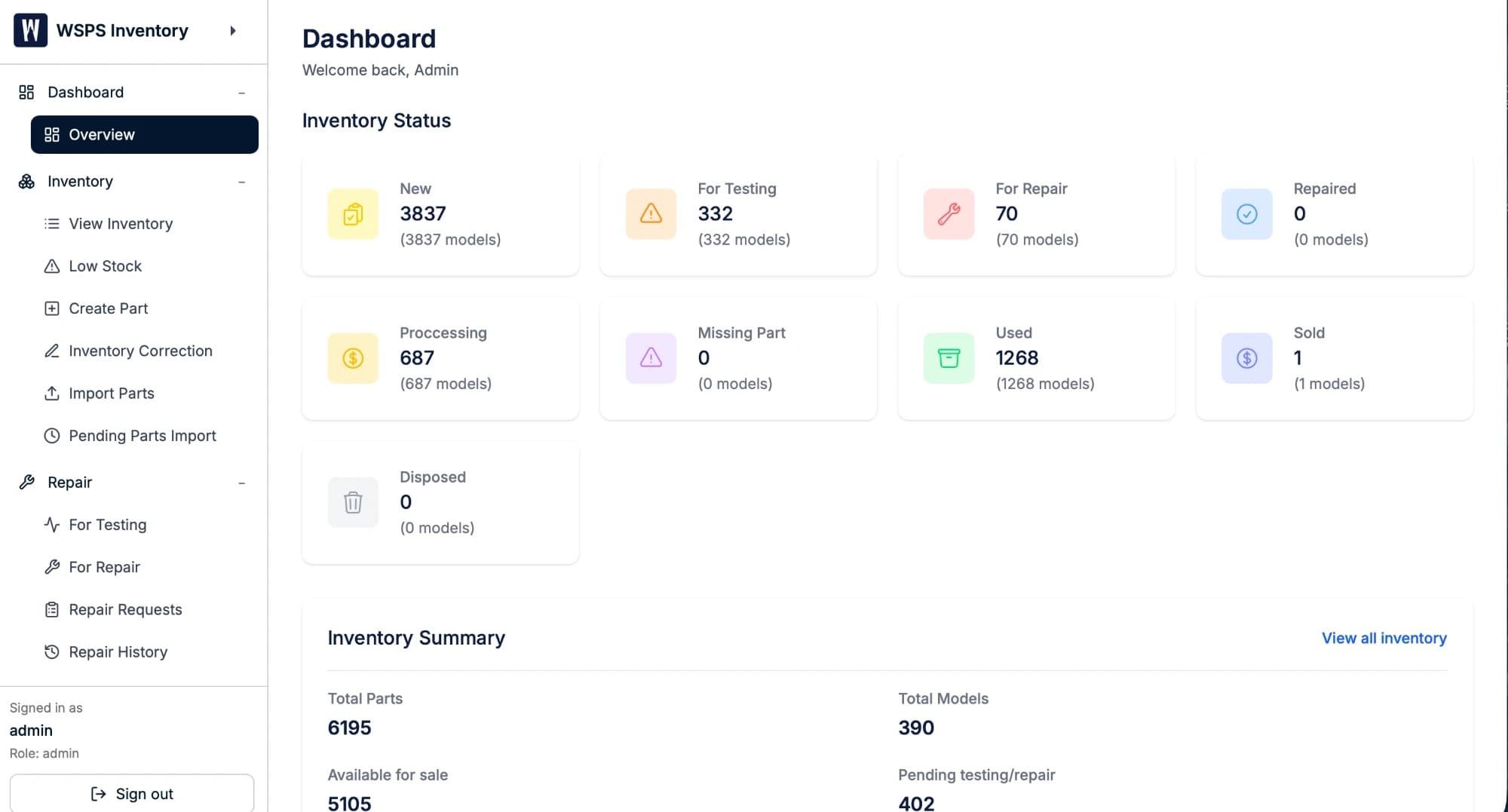
- Each part moves through explicit statuses (New, Used, For Testing, For Repair, Repaired, Processing, Sold, Non-Repairable and Disposed). Every change is logged with time and user, and the dashboard shows counts by part and by machine model.
- Receiving & barcodes
- Warehouse staff create part types, generate and print barcode labels in a brand–type–serial format, set the initial status by condition, and record a location. Supplier lots go through an import queue that an admin approves before they reach live stock.
- Repair workflow
- Repair requests can be for testing or repair, with a priority, and are assigned to a technician or claimed from the queue. Technicians record working and not-working counts, and replacement parts used on a repair are deducted from inventory automatically. A full repair history is kept per part and per technician.
- Orders & reservation
- When Sales creates an order, parts are reserved automatically in the order Repaired, then Used, then New, to keep stock rotating. The order then moves Pending Packaging → Pending Label → Pending Shipment → Shipped, and parts only become Sold once the warehouse marks the order shipped. Cancelling an order returns each part to its original status.
- Backorders
- If a part is out of stock, the order is still taken and a backorder is created automatically. When stock arrives, the oldest backorder is filled first, the parts are reserved, and Sales and Warehouse are notified. An admin can override the queue for rush orders, and an order can be split across invoices for partial shipments.
- Warehouse view
- A live picking and packing screen updated over Server-Sent Events: staff mark each part Looking, Found and Packaged, record box dimensions and weight, assign parts to boxes, and print one tracking label per box.
- Mobile & integration
- The Flutter app for iOS and Android uses the same accounts as the web app and the phone camera for barcode scanning. QuickBooks handles purchase orders and invoices, and an in-app manual covers each role and workflow.
What it produced
Qualitative outcome
Every part has one status, one location and a full history, and every hand-off between warehouse, bench and sales happens in the system rather than around it.
Stock rotates by design, out-of-stock orders are kept rather than turned away, and revenue is recognised at the moment of shipment.
- Data model for the part lifecycle, with every status change logged
- Web application (Next.js)
- Mobile application for iOS and Android (Flutter) with a camera barcode scanner
- Backend API (Node.js / Express, PostgreSQL)
- Five-role access control: Admin, Warehouse, Repair, Sales, Administrative
- Barcode generation and label printing
- Supplier import queue with admin approval
- Repair requests, replacement-part deduction and repair history
- Order pipeline with automatic reservation, multi-box packing and per-box tracking
- Automatic first-in, first-out backorders and split invoices
- Real-time warehouse view and notifications (Server-Sent Events)
- QuickBooks integration for purchase orders and invoices
- In-app user manual for each role
- Self-hosted deployment on Plesk
Let’s Add Your
Project to This List.
Every project in this portfolio started with a conversation. Tell us what you’re building and let’s make something we’re both proud to put our names on.
25+ years experience · 50+ projects delivered · On-time, every time