
Zerion.Chat
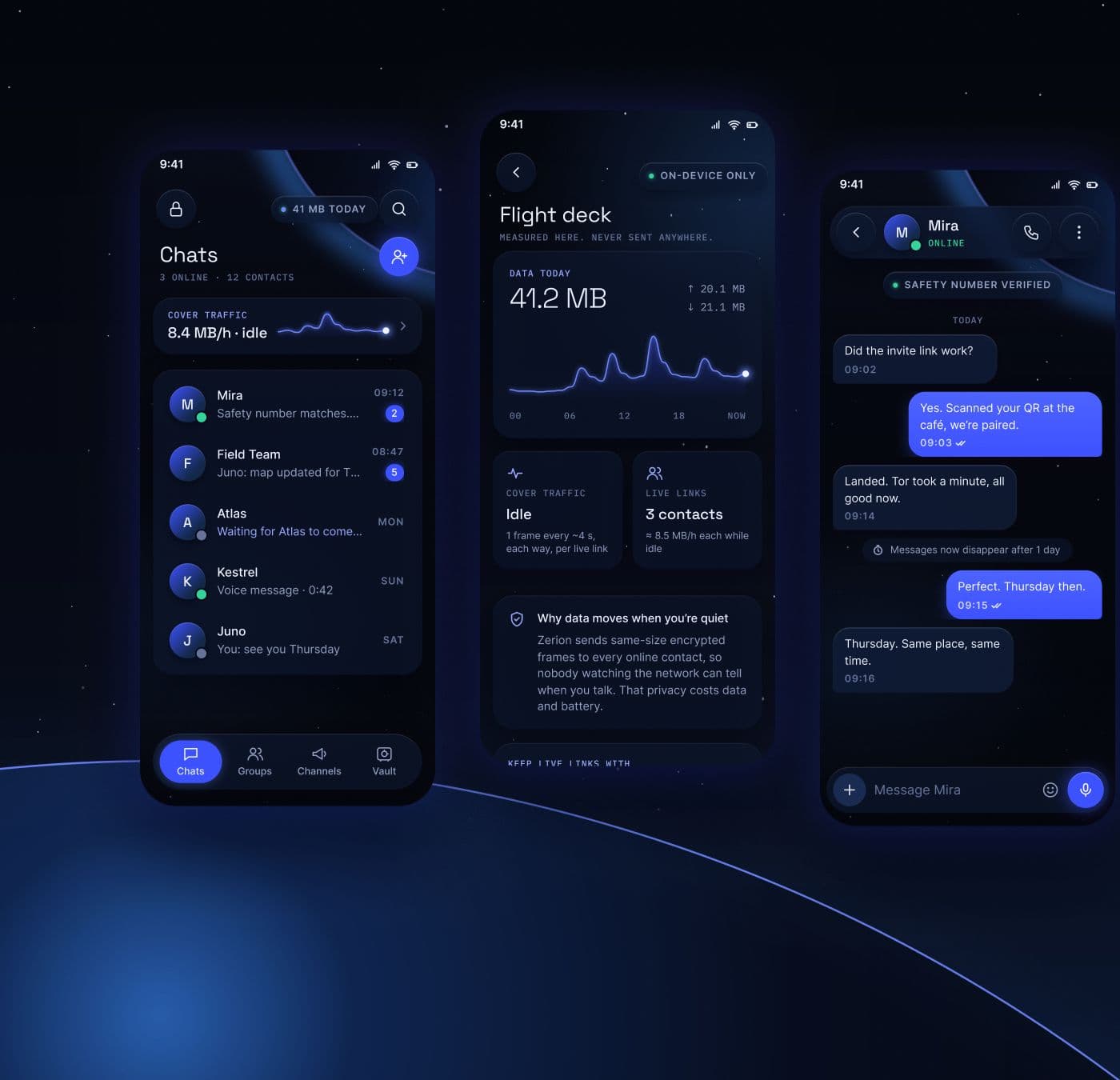
V2 concept for Zerion, a private Android messenger that runs over Tor. 109 screens in one Figma system that turn the app’s privacy machinery — Tor circuits, cover traffic, data spent, live links — into instruments people can read.
The problem
A messenger that routes everything through Tor does real work in the background. It builds circuits, keeps live links to contacts and sends cover traffic even when nobody is typing. Most private messengers hide that work, so a slow first connection reads as a fault and the data bill reads as a leak.
Zerion V2 takes the opposite line and shows the instruments. The concept turns what the app already does into readable state, built on three of its principles: honest by design, calm states, and power and data as features. Connecting becomes an ascent, not an error.
The constraints
Android as it ships. The app runs on Android 10 and up with XML Views and Material, so the glass look had to work without a Compose migration. Blur needs API 31, so on API 29–30 panels fall back to a solid 82% surface, and the backdrop blurs once per screen, never live over a scrolling list.
Honest copy. No “independently audited” anywhere until the Cure53 report is published. Calls say “end to end, peer to peer over Tor” with no codec claim, cover-traffic cost is marked as an estimate, and the lack of recovery is stated plainly at password creation.
Portrait, one hand. A messenger is used one-handed, so landscape-only layouts were out, along with imagery, points and tiers, upsell walls, and decorative 3D or particles that cost frames and battery.
Readable on glass. Body text at 4.5:1 or better over the backdrop, 48dp targets on every control, and state never carried by colour alone: selected tiles, dock items and segments also change label weight and gain a cobalt glow.
Dark first. V2 is dark only. Light mode comes later on the same cobalt token set.
What was built
A HUD direction: deep-navy space with a horizon glow, frosted glass panels with no outlines, round controls pinned to the screen corners, and a single cobalt glow on the one active item. It carries across 109 screens in Figma.
- Foundations
- Colour tokens for space, glass, accent, text and status. Space Grotesk display type is kept from V1, Inter handles reading and a monospace face carries keys and numbers. Charts are thin glowing lines that end on a “now” dot.
- Signature interaction
- Home carries a live cover-traffic line. Drag it down and it grows into the Flight deck chart as a shared element (420 ms on the app’s own curve), so the data you pay for is never more than a glance away. Every number is measured on the phone.
- First run & access
- A splash, a Tor ascent that lists each relay hop as it completes, identity creation with a nickname and password, sign-in, app lock, a decoy calculator launcher, and recovery screens for a blocked, insecure or failing start.
- Messaging & calls
- One-to-one chat with photos, voice and files, disappearing messages, secret notes, safety-number checks that cover the post-quantum signing key, introductions between contacts, and voice and video calls peer to peer over Tor.
- Groups & channels
- Private groups run by admins, with invites and member settings. Channels live on the owner’s phone, with subscriber and owner feeds, comments and access requests.
- Vault & wallets
- An encrypted vault for notes, a gallery, documents and passwords, plus self-custodial Bitcoin and Monero wallets: recovery phrase, backup check, receive and send, and a review step that opens the spend key for that one transaction only.
- Settings & system
- Profiles, Tor bridges, Bluetooth mesh for offline conversations, hardened mode, a panic button, backup and transfer to a new phone, and every system state from quick reply to Tor unstable, no internet and screen-overlay detection.
What it produced
- Screens designed
- 109
- Screens wired in the prototype
- 16
- Colour tokens
- 21
- Minimum touch target
- 48dp
The concept is complete in Figma: direction, foundations and 109 screens covering every flow from the first Tor connection to moving an account to a new phone. It is a design concept, not a shipped release. The prototype below runs the core loop in the browser.
A comparable engagement
Every build is scoped to the operator’s market, licence and stack. Send the brief and get a scope with timeline and price.
Request scope & pricing- HUD design direction
- Colour, type and component foundations
- 109 Android screens in Figma
- Signature interaction: horizon strip to Flight deck
- Accessibility and copy guardrails
- Android implementation notes (API 29–31 fallbacks)
- Clickable prototype
Try the prototype
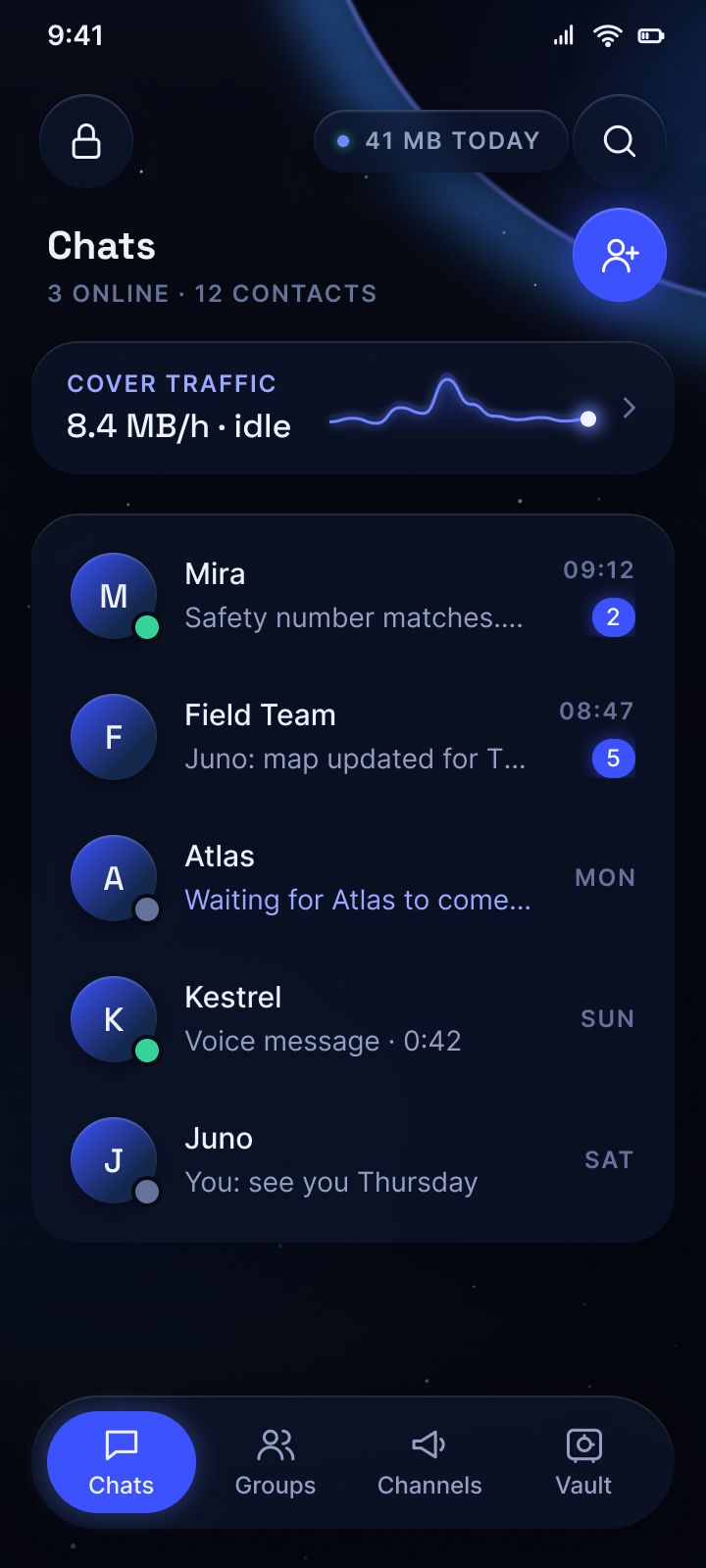
Screen 4 of 16: Chats
Chats
Cover traffic runs as a live line at the top of home. Tap it and the line grows into the Flight deck chart.
Let’s Add Your
Project to This List.
Every project in this portfolio started with a conversation. Tell us what you’re building and let’s make something we’re both proud to put our names on.
25+ years experience · 50+ projects delivered · On-time, every time